
Demo starting point
Start Here: Demo Access and First Checks
Use this page as a playable checklist: confirm the live Steam state, record your session context, and capture a puzzle question before you search for help.
§Current demo page#
The dedicated Steam page lists the demo as free and currently shows an Install Demo action.
The page also retains a description saying the demo was available during Steam Next Fest from June 15–22. Those dates have passed, so this guide records them as historical copy and points you to the live Steam page for the current access state.
The demo page lists single-player, Game demo, and Steam Cloud among its features. It also lists English full audio and subtitles, plus additional interface and subtitle languages.
§Known demo facts#
| Field | Current record |
|---|---|
| Store | Steam |
| Demo release date | June 15, 2026 |
| Access label | Free Demo; Install Demo is shown on the page |
| Listed features | Single-player, Game demo, Steam Cloud |
| Timing note | June 15–22 Next Fest wording is historical |
§Before you launch the demo#
A few small records make later troubleshooting and spoiler-controlled help much more precise.
- Confirm the live Steam page and the branch shown in your library. Access and beta availability can change.
- Write down your language, input method, graphics preset, and whether you are on the normal branch or public-testing branch.
- When you enter a new puzzle, capture its visible label and the board before experimenting. Leave story text out of a public help request if you want a spoiler-light reply.
- If Steam Cloud is part of your setup, wait for its status to settle before changing devices. The listing confirms Steam Cloud support, while this guide makes no cross-platform save claim.
- Keep one save or session note for your own progress and a separate short note for the rule you are testing.
§Use this five-line puzzle log#
The template keeps a question answerable without turning an unverified observation into a guide fact.
| Record | Write down | Why it matters |
|---|---|---|
| Location | The exact room, level, or screen label | Prevents a correct answer for the wrong puzzle |
| Context | World, hero, and current objective if visible | Separates similar-looking boards |
| Observed rule | One sentence describing what changed | Keeps a hypothesis separate from a confirmed mechanic |
| Last test | The smallest move or interaction you tried | Lets a nudge start from your actual state |
| Help level | Nudge, mechanic hint, or full solution | Stops an answer from overshooting your spoiler limit |
§If your progress looks missing#
Start by recording the Steam account, demo branch, language, and device you used. Check the Steam Cloud status and give the client time to finish any pending sync. These checks are troubleshooting steps, not proof of how the game's save system works.
The official announcement limits its carryover promise to progress from the Steam demo into the full game on Steam. Do not extend that sentence to Switch 2, PlayStation 5, or a cross-platform transfer without a later first-party statement.
§Need smoother performance first?#
§A spoiler-safe first-session routine#
Keep a small record while you play. It makes later help easier to verify and keeps the first solve yours.
- Write down the room or puzzle label exactly as it appears.
- Record the visible rule, the object you are testing, and what changed after a move.
- Capture the point where you want a nudge before searching for a full solution.
- Keep your save and progress details separate from a public question so the answer can stay focused.
§The visual language to notice#
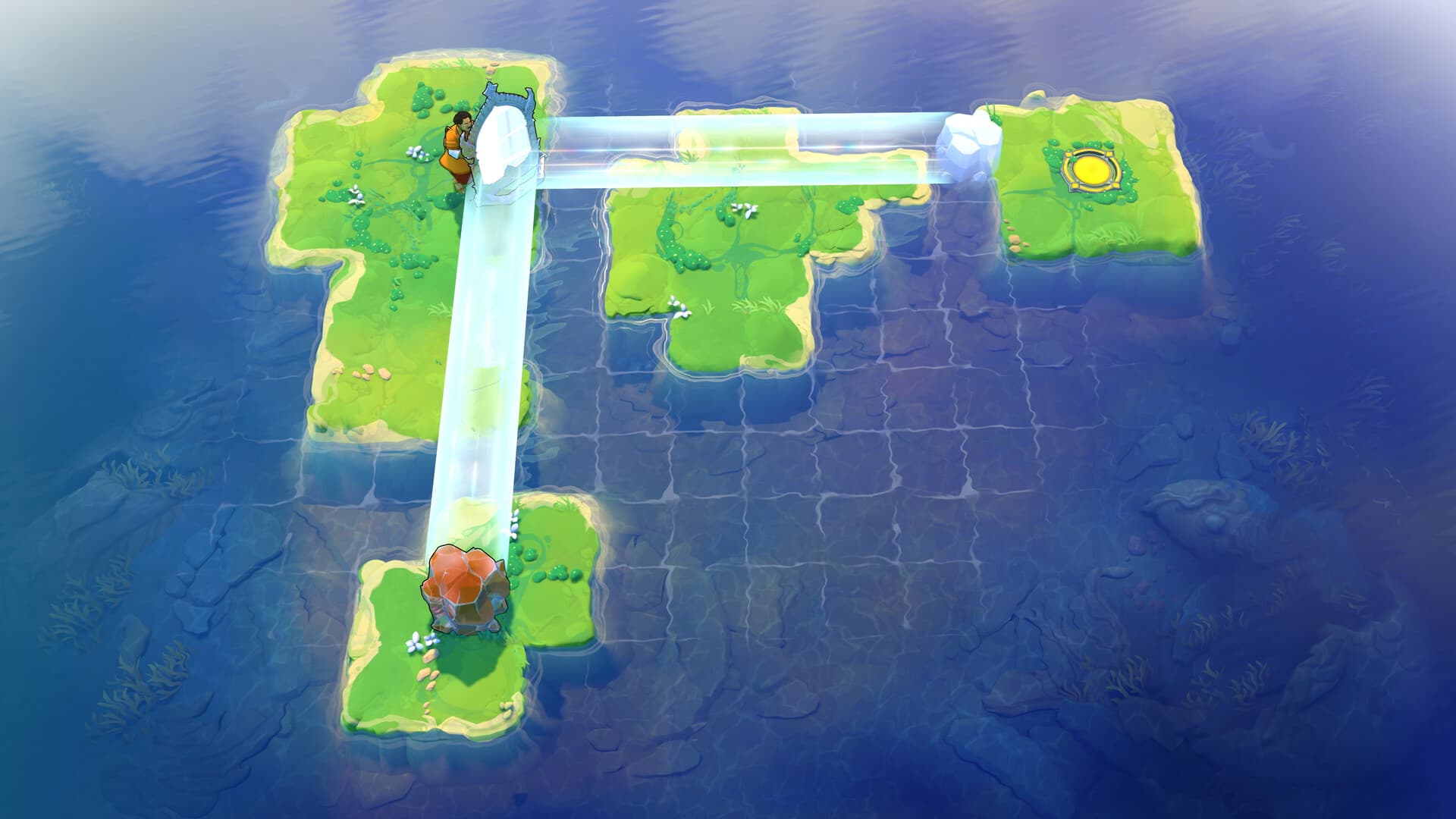
Official screenshots show clear tiled play spaces, distinct environmental framing, and readable light paths. This site will use those visual cues when it adds verified puzzle records.
§Your next stop#
Puzzle help
See the spoiler ladder and the current verification queue.
Mechanics
Read the official high-level description of evolving, connected puzzle systems.
Demo settings
Apply the official beta-branch performance and accessibility checks before you blame a puzzle.
Release and platforms
Check the announced date, platforms, and Steam demo carryover note.
§FAQ#
Is the demo's June 15–22 window still active?
The dates shown in the description refer to Steam Next Fest and are historical. The dedicated Steam page currently shows an Install Demo action, so use that page for the live access state.
Does demo progress carry into the full game?
An official Steam news post says Steam demo progress will carry over to the full game. This statement has been recorded for the Steam path only.
Should I use the public-testing beta branch?
Only if you need the technical update described by the official July 10 post. Record the branch before asking for help, since a beta build can behave differently from the default demo branch.
§Related pages#
Home
Order of the Sinking Star Guide
A source-tracked pre-release guide to the official facts, demo notes, puzzle systems, heroes, worlds, and launch platforms for Order of the Sinking Star.
Hub
Puzzle Help with Spoiler Control
A spoiler-aware help desk for Order of the Sinking Star, with request templates, a nudge-to-solution ladder, and a transparent queue for puzzle records awaiting verification.
GuideArticle
Mechanics: A Practical Puzzle-Reading Method
A source-tracked method for reading Order of the Sinking Star boards, testing one variable at a time, and recording world-collision mechanics without inventing solutions.
Route
Release Date and Platforms
The current official release record for Order of the Sinking Star, plus platform-specific planning notes and the limits of the Steam demo carryover statement.